
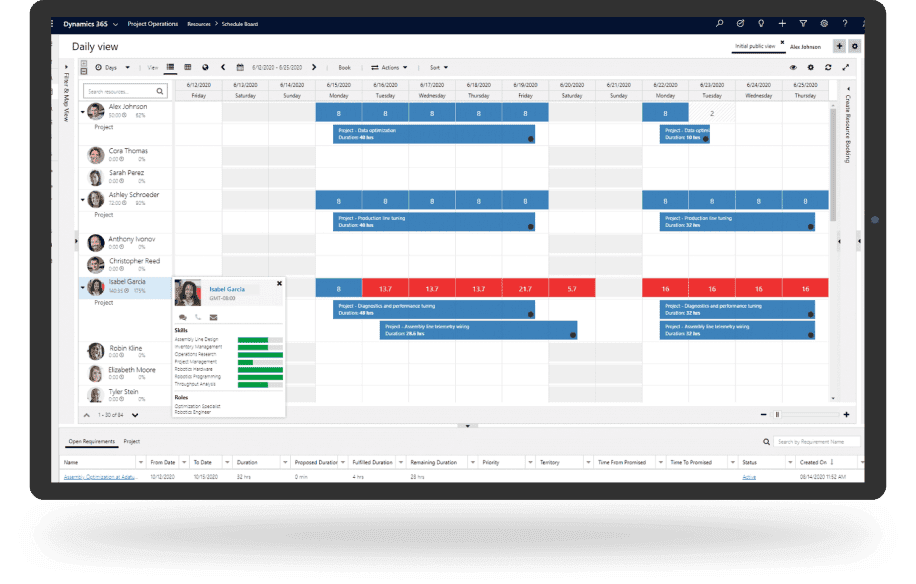
Dynamics Square helps project-based companies plan projects, manage resources, and deliver profitable outcomes with the AI-powered Dynamics 365 Project Operations solution.

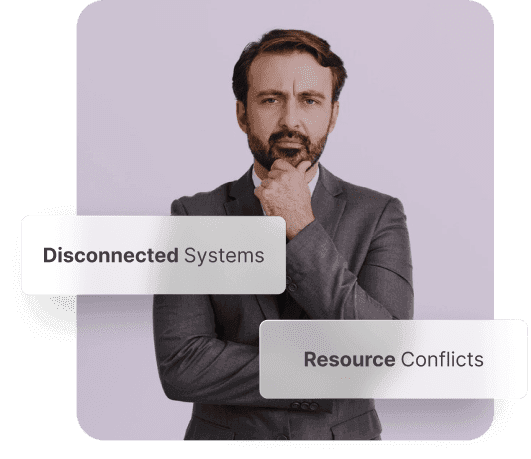
Dynamics 365 Project Operations capabilities address common challenges faced by project-centric organisations across industries. Some of the most frequent challenges include:
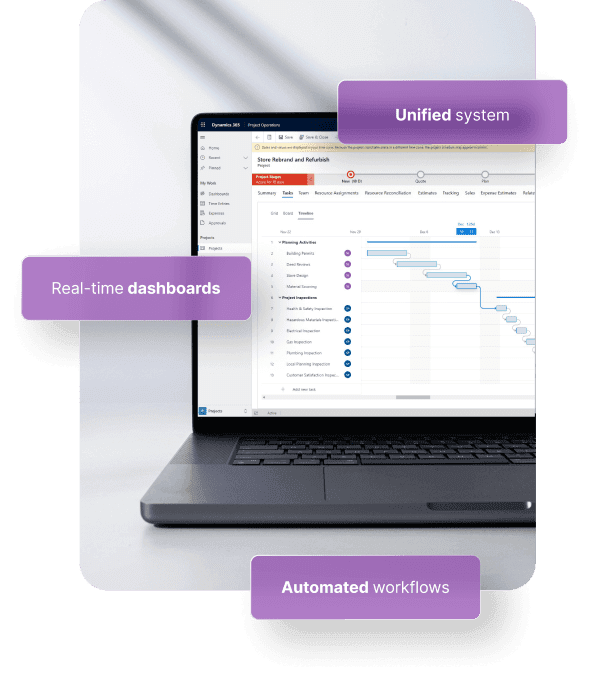
Dynamics 365 Project Operations is an AI-powered project-to-profit solution that connects deal management, resource scheduling, project accounting, and billing in one unified application. With Copilot and ERP agents such as the Time Entry Agent and Expense Agent, it reduces manual effort while improving accuracy and visibility across the entire project lifecycle.
Whether managing a growing services team or operating at global scale, Dynamics 365 Project Operations supports structured delivery with clarity, financial control, and operational efficiency.
Structured Deal and Project Planning
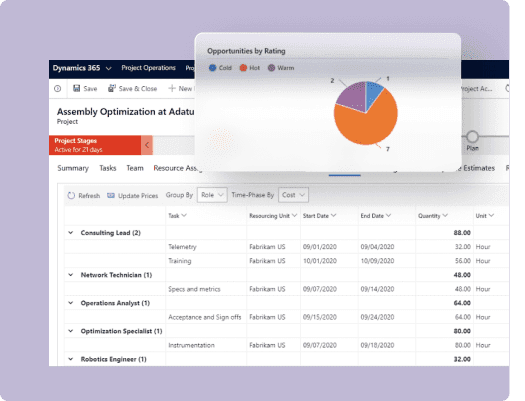
Inaccurate estimates and unclear scope create downstream risk across delivery. With Dynamics 365 Project Operations, teams can:
- Create detailed estimates using standardised templates
- Model customised costing and pricing based on geography and exchange rates
- Set up fixed-price, time and materials, or retainer-type contracts
- Develop schedules and quotes that align sales with delivery
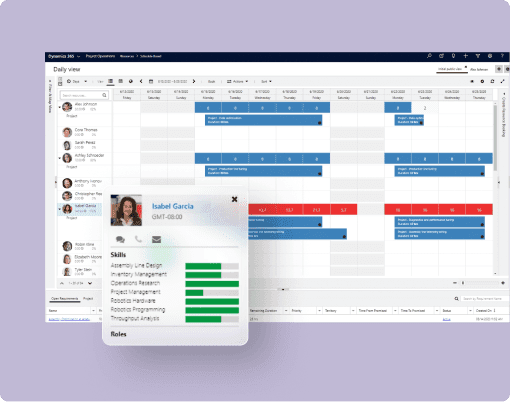
Intelligent Resource Scheduling and Utilisation
Poor resource alignment reduces productivity and margins. Dynamics 365 Project Operations helps teams to:
- Match people to projects using skill profiles and proficiency models
- Distribute workloads using universal resource scheduling
- Gain visibility into resource availability across projects
- Optimise utilisation to support timely project delivery
Budget Control and Project Accounting
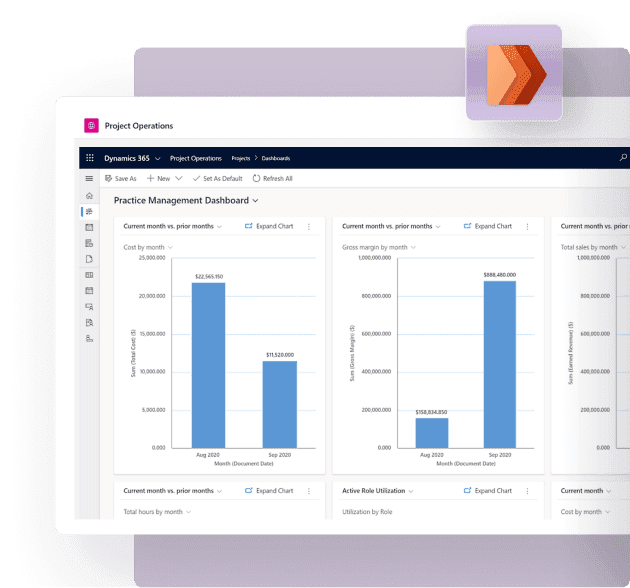
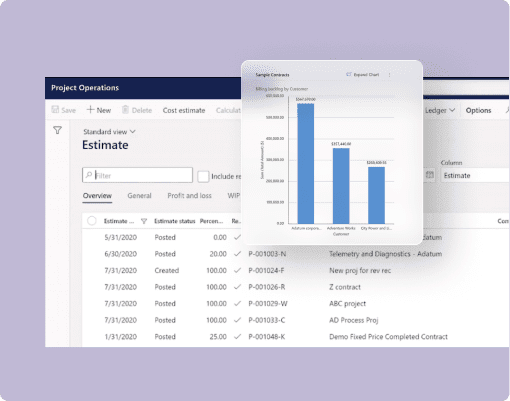
Limited financial visibility weakens decision-making. With built-in insights, organisations can:
- Track budget-to-actual consumption as projects progress
- Forecast trends and generate budget snapshots
- Manage project cost and revenue profiles
- Support compliance with accounting standards including IFRS
Automated Time, Expense, and Approvals
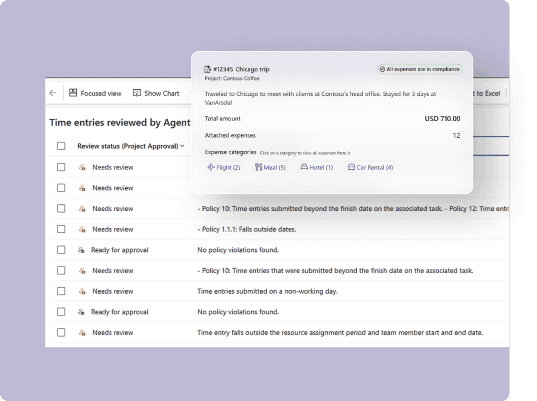
Manual time sheets and expense reporting delay billing cycles. Dynamics 365 Project Operations includes:
- Time Entry Agent to draft and capture project hours
- Expense Agent to turn receipts into draft reports
- Activity Approvals Agent to prioritise entries needing review
- Improved billing accuracy and faster revenue recognition
Connected Project Operations with Secure Integration
Disconnected systems create operational gaps and reconciliation challenges. Dynamics 365 Project Operations integrates with:
- Dynamics 365 Finance or external ERP systems via open APIs
- Microsoft Teams for collaboration within the flow of work
- Power BI to visualise KPIs such as utilisation, forecasting, and budgeting
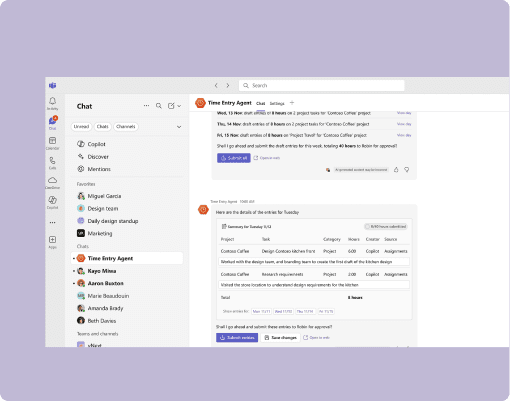
Connect sales, delivery, resources, and finance in one unified application to improve visibility.
Deliver Projects on Time and Within Budget
Projects lose margin when costs and timelines drift without control. Dynamics 365 Project Operations enables teams to track budget-to-actual consumption, forecast trends, and adjust delivery using built-in insights to protect profitability.
Improve Estimate Accuracy and Billing Confidence
Inaccurate estimates create downstream financial pressure. With standardised templates, customised costing and pricing, and adaptable billing models such as fixed-price or time and materials, organisations can strengthen deal quality and revenue recognition.
Optimise Resource Utilisation Across Projects
Unbalanced workloads reduce efficiency and morale. Universal resource scheduling and skill-based matching help align the right people to the right projects while maximising utilisation.
Reduce Administrative Burden with AI Agents
Manual time sheets and expense reports slow billing cycles. Time Entry Agent, Expense Agent, and Activity Approvals Agent reduce manual effort, improve accuracy, and support timely approvals.
Strengthen Financial Control and Compliance
Project accounting complexity increases risk. Integration with Dynamics 365 Finance, support for IFRS, and structured cost and revenue profiles help maintain financial discipline across the lifecycle.
Organisations using Dynamics 365 Project Operations gain stronger financial visibility, improved resource control, and greater confidence across every stage of project delivery.

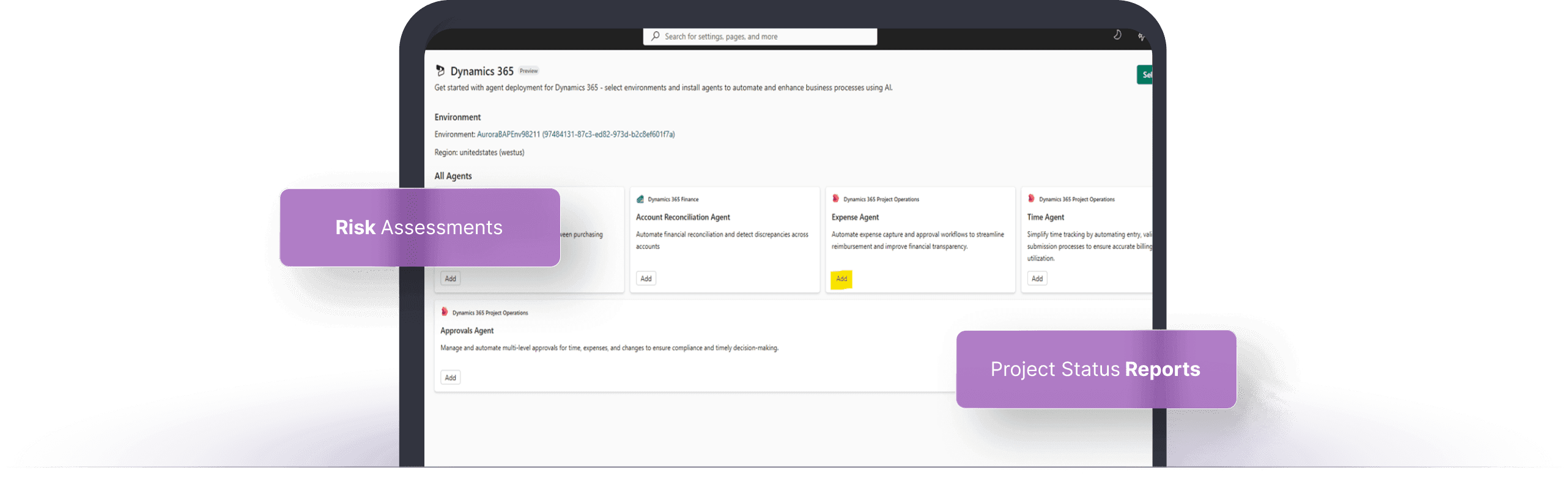
Time Entry Agent
Prompts employees to log project hours with smart reminders and context. It improves billing accuracy, payroll processing, and visibility into resource utilisation.
Expense Agent
Extracts details from receipts and emails to draft compliant expense reports. It reduces manual errors, accelerates reimbursement, and strengthens cost tracking.
Activity Approvals Agent
Flags only entries that require review, helping managers prioritise approvals, reduce delays, and enforce policy controls.
Account Reconciliation Agent
Matches ledger entries, flags discrepancies, and recommends resolution steps to support timely and compliant financial statements.
Supplier Communications Agent
Manages supplier interactions, follows up on order confirmations, and reduces disruptions across source-to-pay processes.
Move from Disconnected Project Tools to Intelligent Project Execution
Use Copilot and ERP agents such as Time Entry Agent and Expense Agent to reduce manual effort, strengthen financial accuracy, and support consistent project delivery from estimate to revenue recognition.

Dynamics 365 Project Operations
Dynamics 365 Project Operations is an AI-powered project-to-profit solution designed for organisations that manage services through projects. It includes customised costing and pricing, adaptable billing models such as fixed-price and time and materials, universal resource scheduling, project accounting, IFRS support, and built-in insights for forecasting and budgeting.
AI agents and Copilot for Dynamics 365 Project Operations such as the Time Entry Agent and Expense Agent help reduce manual effort and improve productivity across teams.
£103.80 user/month
paid yearly
Contact usNeed help understanding how Dynamics 365 Project Operations fits your delivery and financial model?
Speak with Our Experts
Implementation
Deliver a structured Dynamics 365 Project Operations implementation aligned with your project lifecycle, billing models, and financial processes. Our approach focuses on clean configuration, resource scheduling setup, project accounting structure, and practical adoption across project managers, finance teams, and leadership.
Get Started
Upgrade and Migration
Move from disconnected project management tools or legacy ERP systems to Dynamics 365 Project Operations with clarity and control. We manage data migration, process alignment, billing configuration, and integration with Dynamics 365 Finance or external ERP systems to ensure a smooth transition.
Get Started
Support
Keep your project operations system stable and efficient with ongoing support. Our team resolves issues, manages updates, and ensures time entry, expense management, approvals, and billing processes continue without disruption.
Get Started

Consulting
Gain expert guidance on improving resource utilisation, forecasting accuracy, revenue recognition, and compliance with standards such as IFRS. Our consultants help you use Copilot and ERP agents such as the Time Entry Agent and Expense Agent to reduce manual effort and improve visibility across projects.
Get Started




Microsoft Dynamics 365 Project Operations is an ERP (Enterprise Resource Planning) solution capable of managing and streamlining projects effortlessly. It comes with many extensive capabilities, including team collaboration, opportunity management, project planning, resource management, customer billing, and expense management.
Microsoft Dynamics Project Operations is a powerful application to seamlessly manage operations with full productivity and efficiency. However, organisations can integrate it with Business Central or other native integrations to enhance the features for smooth operations. There are a few more modules that can be integrated without any restrictions, such as Human Resources, Sales, Marketing, Customer Service, and more.
When installing project operations from microsoft dynamics 365, there are several installation options available. You have two options to start the installation:
- Using the existing CDS environment
- Using a new CDS environment
You must have access to Power Platform Administrator and a Project Operations to install project operations in a new environment.
In case, you have to create a new CDS environment using the Power Platform admin.
In the case of an existing CDS, you must have access to a Power Platform Administrator with a licence for Project Operations. Using Power BI, you have to locate the environment using the Power Platform admin center.
There are a few core modules which are: Contract Management, Sales, Project Management, Resource Management, Team Collaboration, Finance Management, and Time and Expense Management. These are the modules that let users seamlessly manage an entire project in an organisation for easy growth.
Microsoft doesn't sell its business management solutions directly to customers. You have to search for and collaborate with a reliable support partner like Dynamics Square for any kind of update, upgrade, or implementation service for your business. The pricing for D365 Project Operations is entirely dependent on your company's needs and the type of deployment. The standard cloud deployment pricing is £103.80 per user/month and is also available on Microsoft's website. On-premises deployment always comes with customised pricing, and it depends on business to business.